Sobriety Tracker
Set your sobriety date once. SoberHub counts the days, marks your milestones and can show your time on a widget. On iPhone, ask Siri and it answers without opening the app.


Count your days and share them
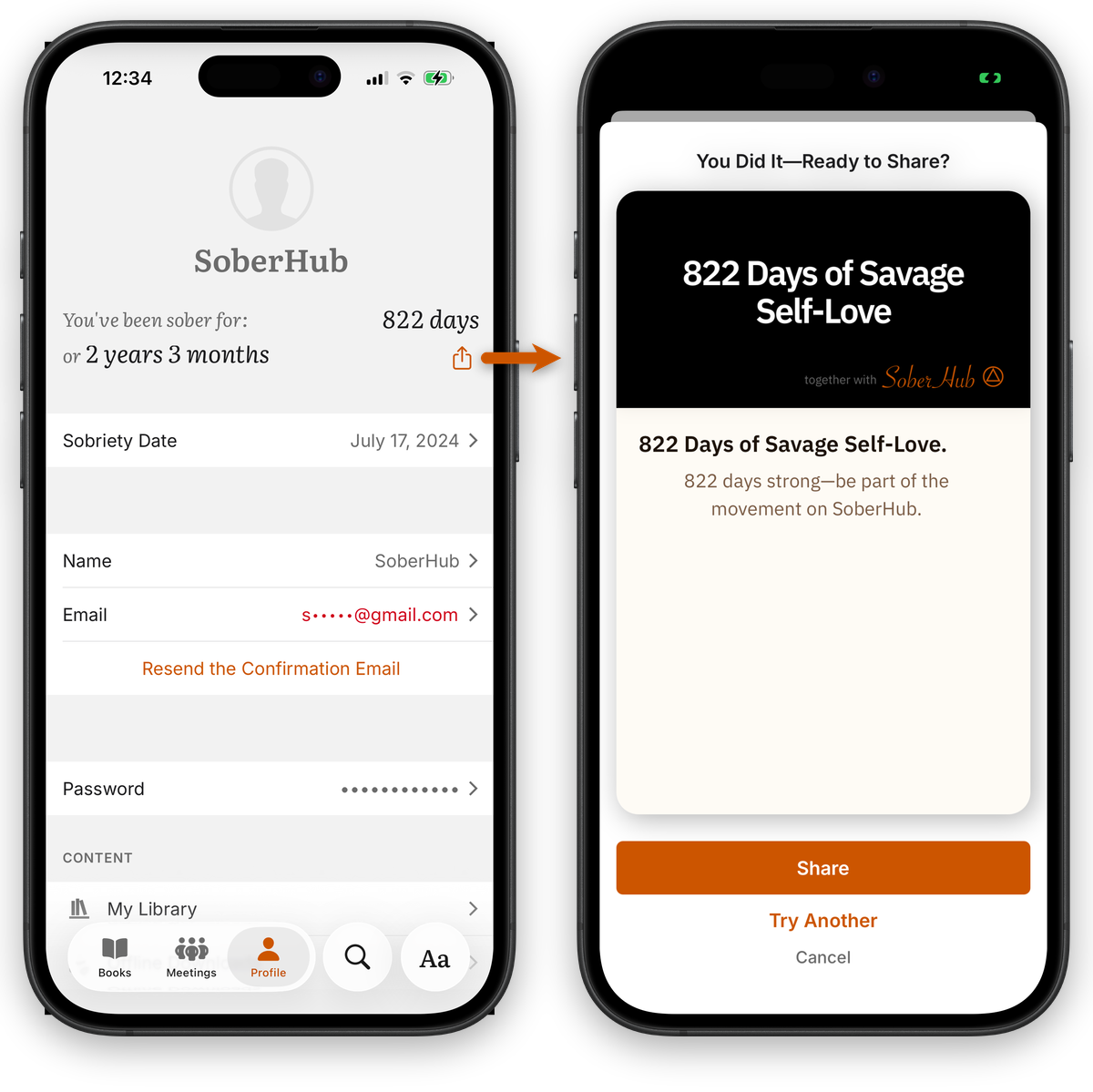
Your sobriety date lives in Profile. The app counts from there.
Set your date
In Profile, tap Sobriety Date and pick the day. You can change it any time.
See your count
Profile shows You've been sober for and the number of days. From one month on, it also shows years, months and days.
Share it
Tap the count, or the share icon next to it. Choose days, or years, months and days. On a milestone such as 1 year, that comes first. A preview shows the card.
Pick a design
Tap Try Another for a different card. Tap Share to send a link to share.soberhub.life. The link preview shows your card.
Milestones
On a milestone day, such as 30, 60 or 90 days or 1 year, the app sends a notification. Notifications need to be on.
A notification on the day
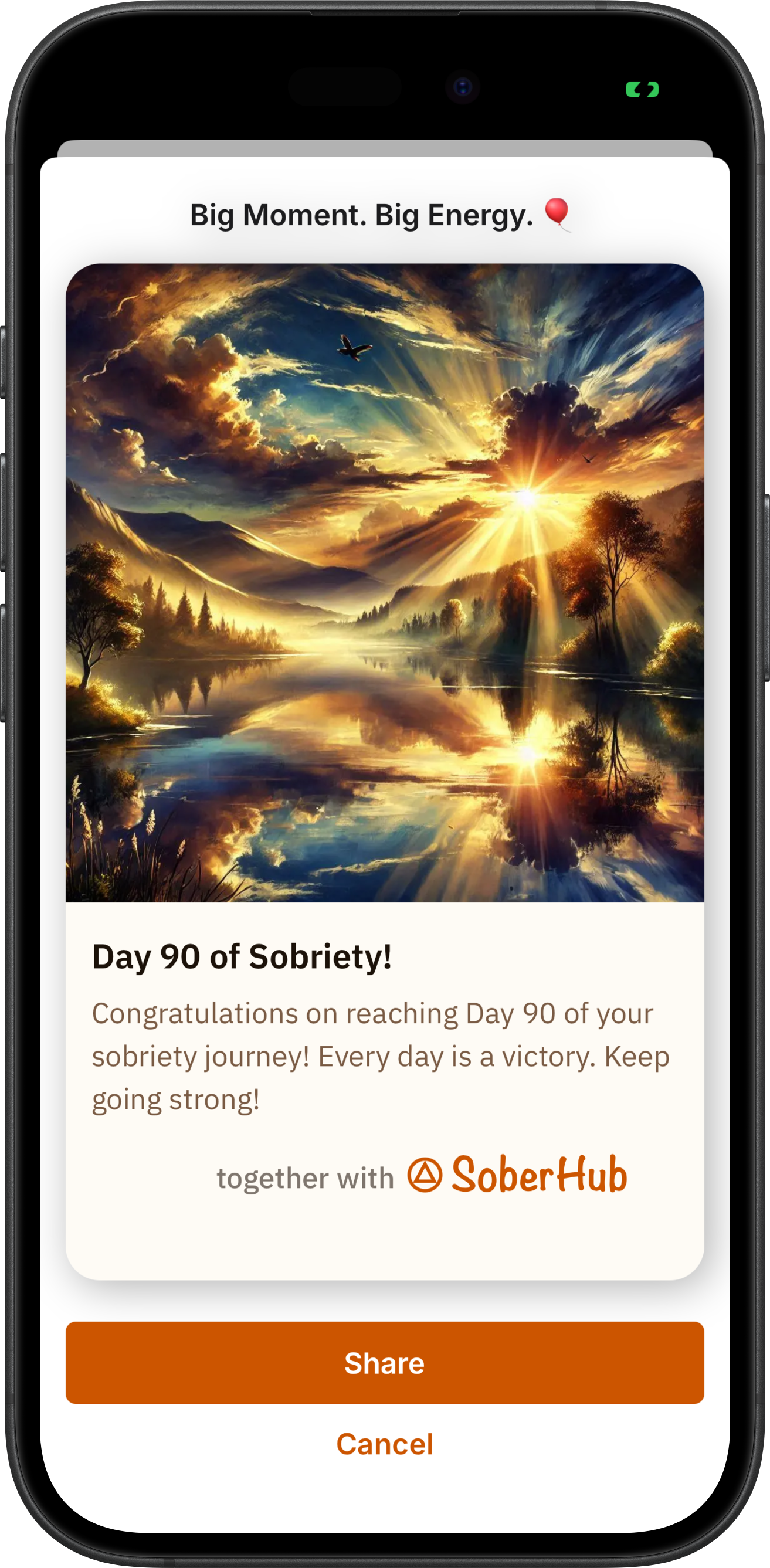
Tap the notification to open a photo card for that milestone. On iPhone, its Share action opens the same card.
A card ready to share
Tap Share on the card to send it, or Cancel to close it.
Widgets
Keep your count on the home screen and, on iPhone, on the Lock Screen. Tap a widget to open the app.
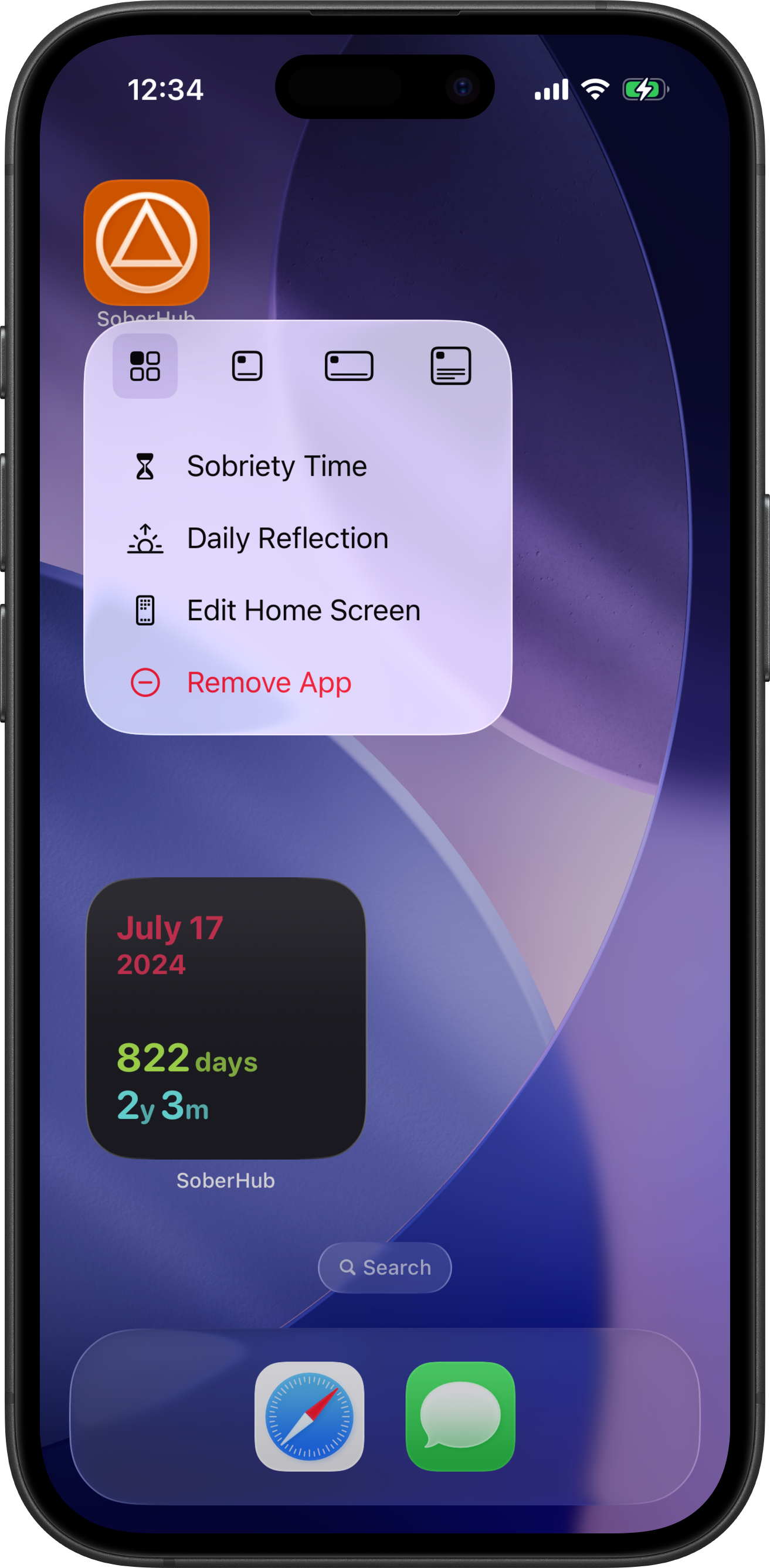
iPhone home screen
Small, medium and large widgets show your sobriety date, your days, and years, months and days. On a milestone day, the widget celebrates it.
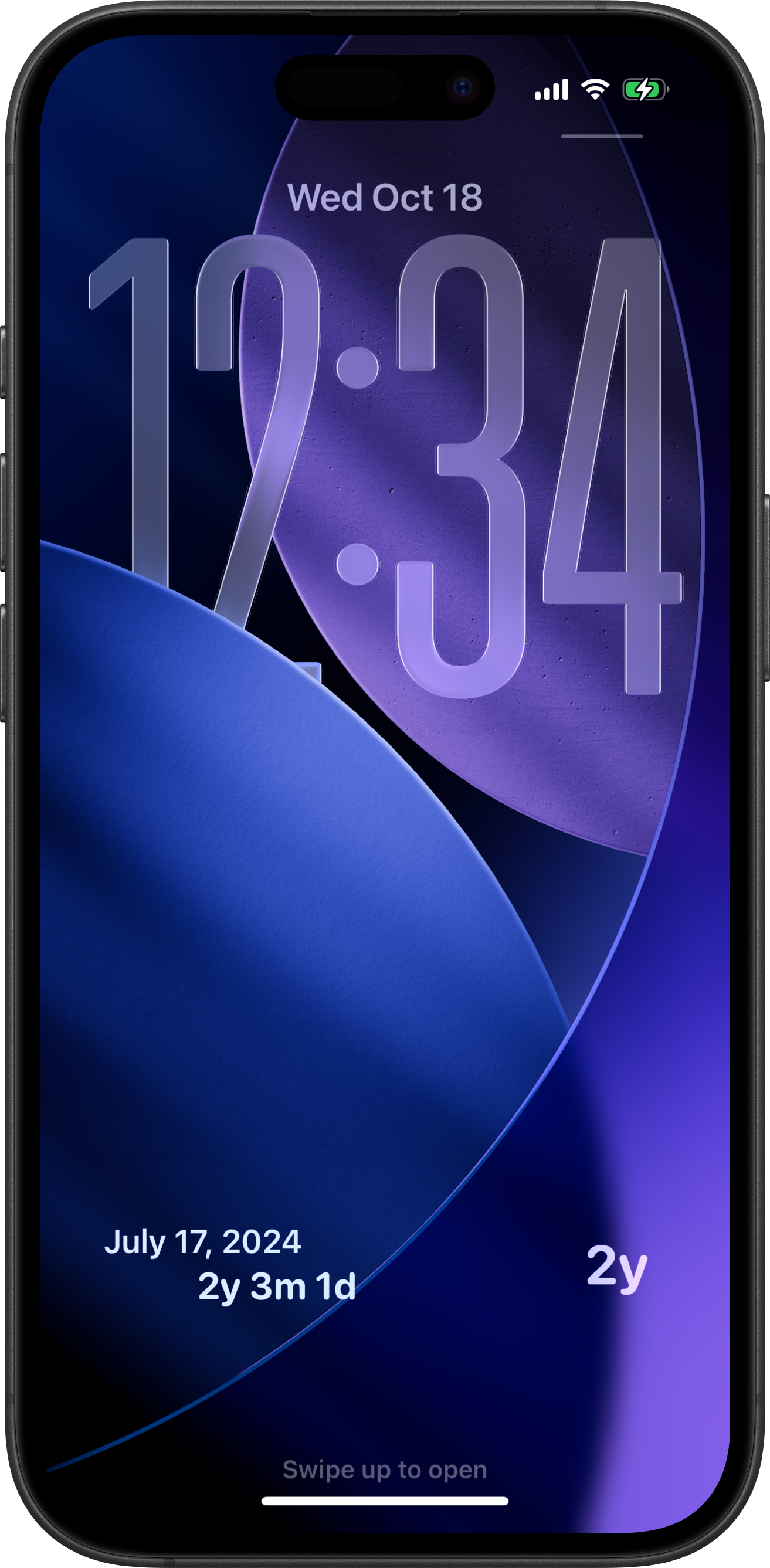
iPhone Lock Screen
Circular, rectangular and inline widgets show the same count in less space.
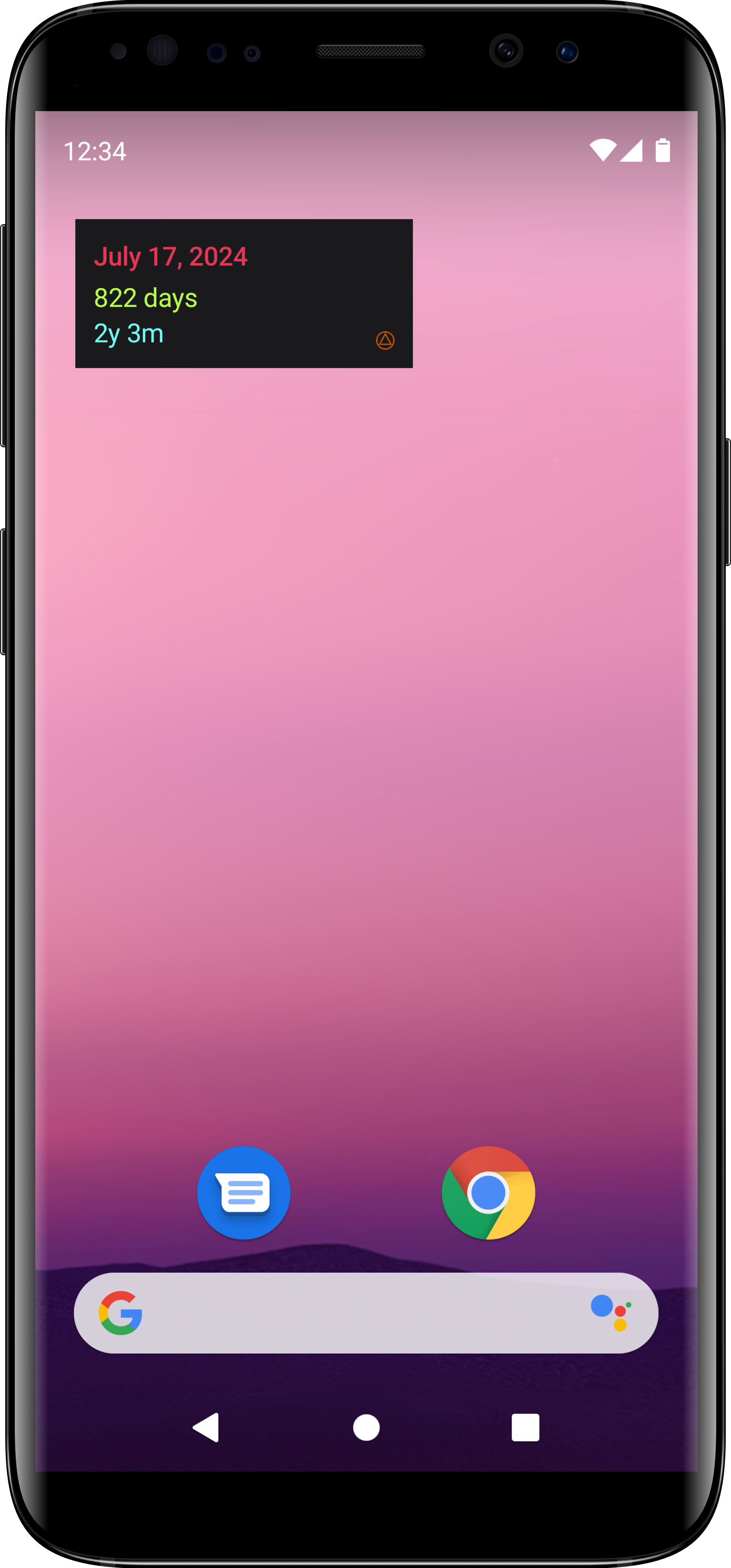
Android home screen
A home screen widget you can resize. In Profile, tap Want a widget? to add it.
Ask Siri
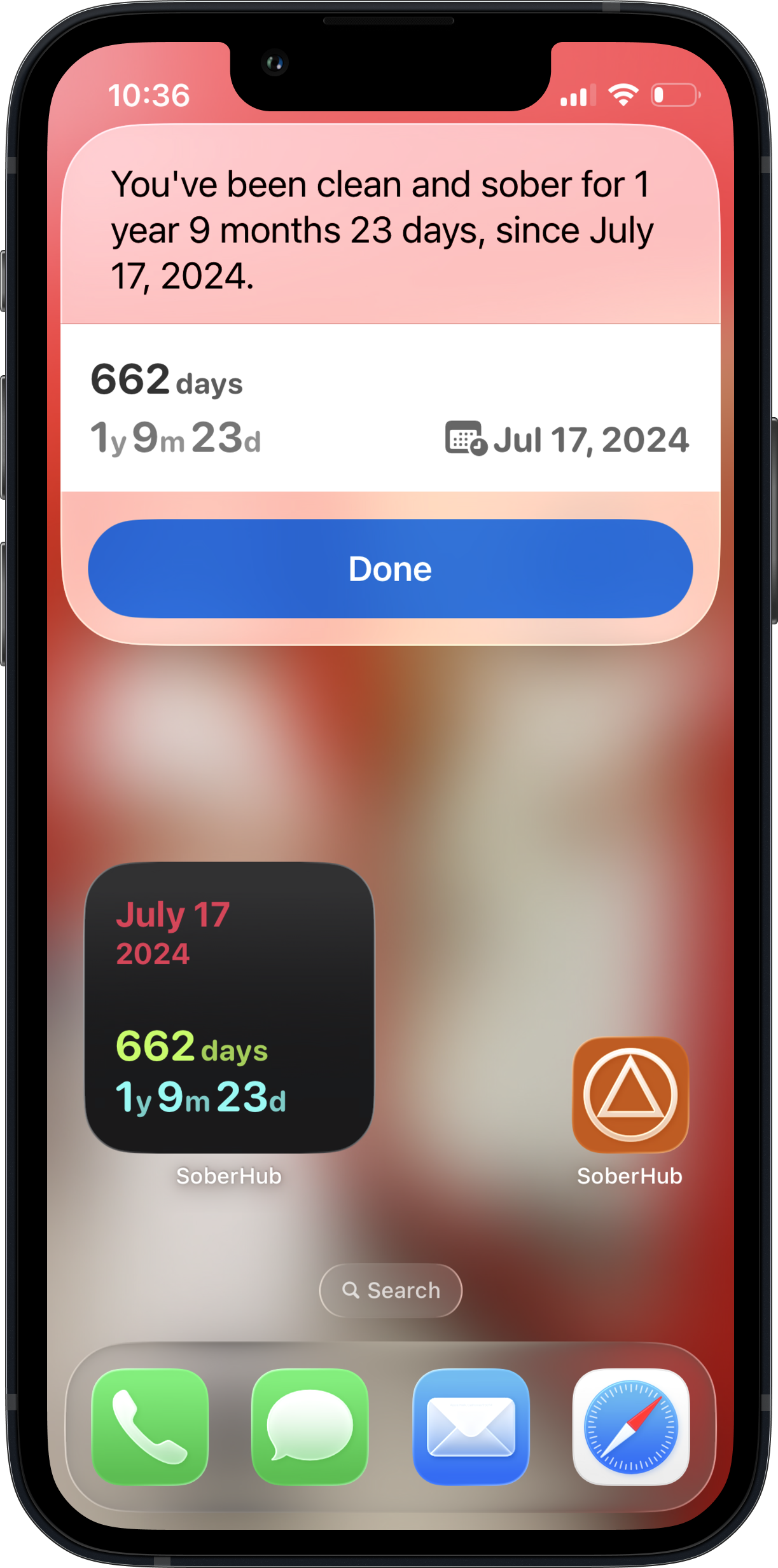
On iPhone, Siri answers without opening the app. The phone at the top of this page shows one of its answers.
Ask how long
Say “How long have I been sober in SoberHub?” or “What is my sobriety date in SoberHub?”
From the app icon
Press and hold the SoberHub icon and tap Sobriety Time. The app opens on your count in Profile.
This section is iPhone only. Android has no voice command for your sobriety time.
Start counting today. It's free.
Free, no ads, on iOS and Android.
iOS
Android