Listen your way
Every narrated book in your library plays with the words marked on the page as they are read. Tap any word to play from it, pause after every paragraph for a meeting, or set a sleep timer for the night.


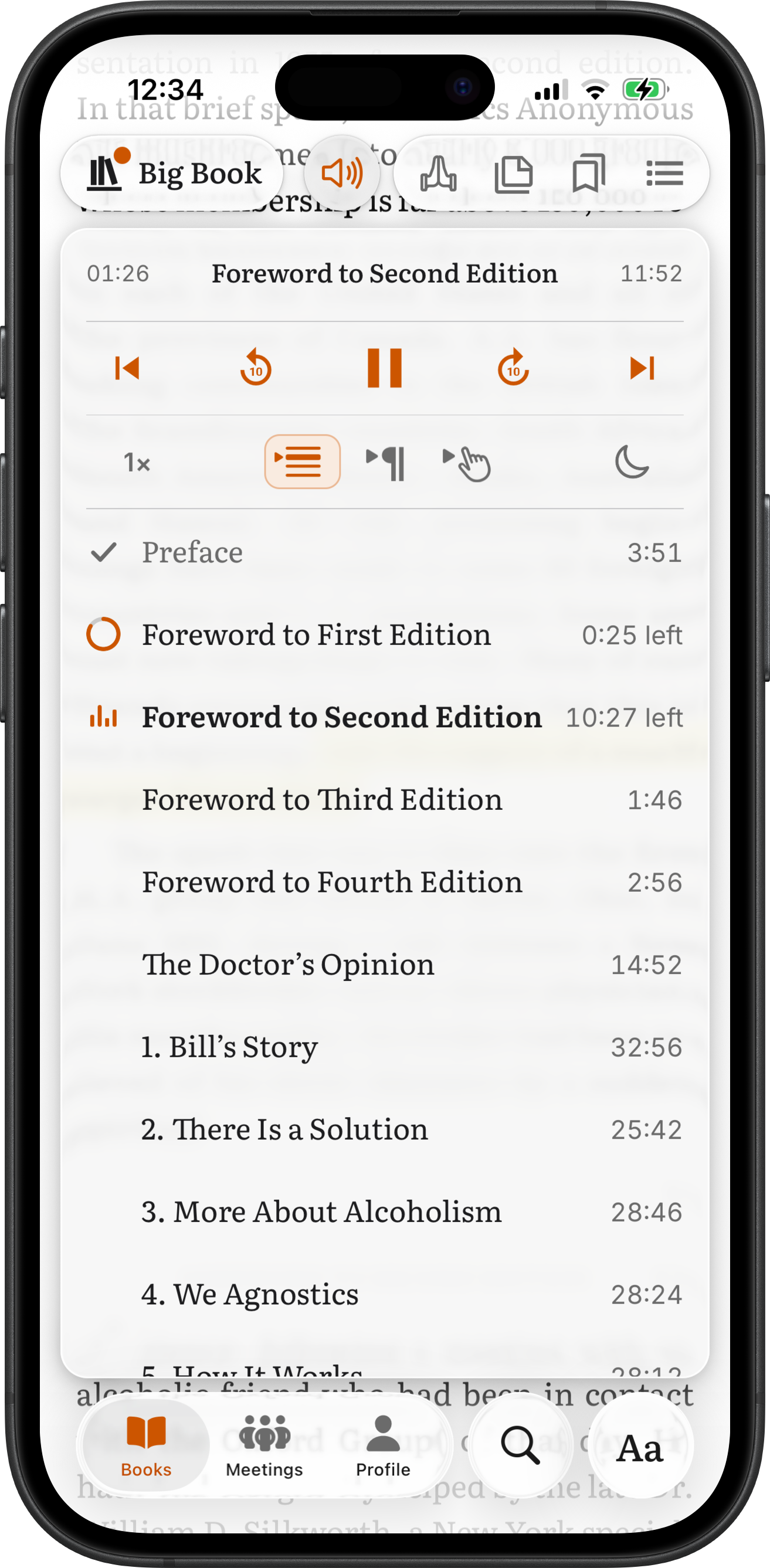
The player's settings band, left to right. The marks are the ones you see in the app.
- Speed
Each book plays at its own speed, from 0.5× to 3×.
- Follow audio
The words being read are marked on the page, and the page scrolls with the voice.
- Paragraph stop
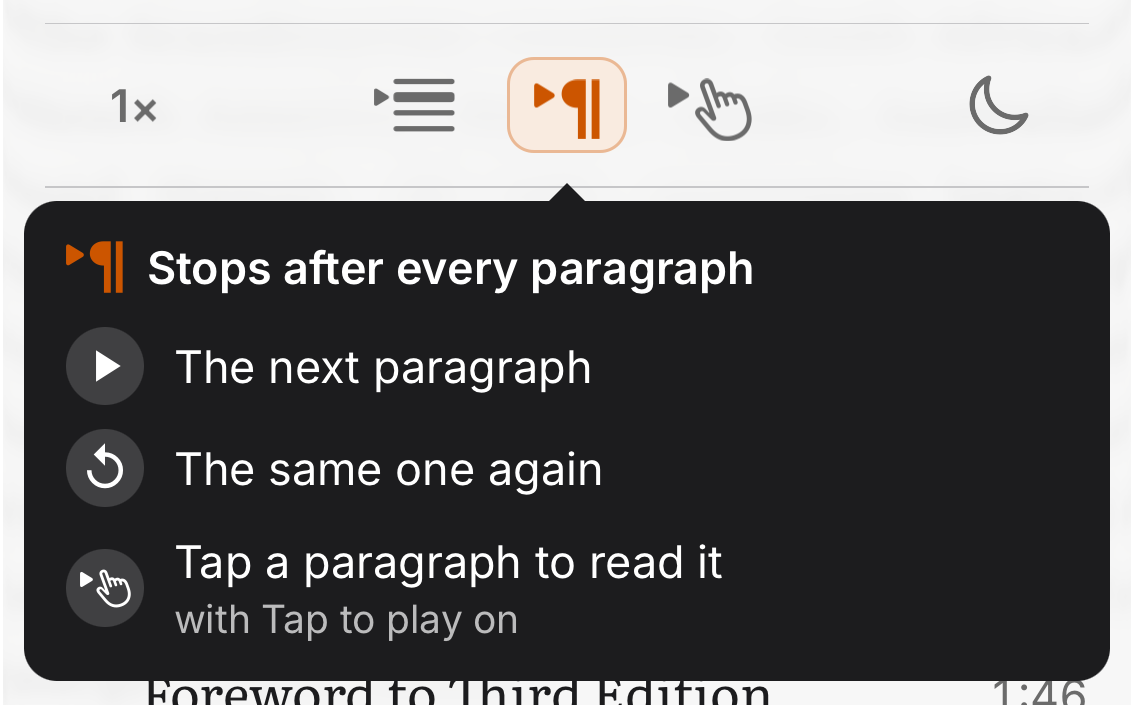
The narration pauses at the end of every paragraph.
- Tap to play
Tap any word and the narration plays from that word.
- Sleep timer
The narration stops by itself after a set time or at the end of a chapter.
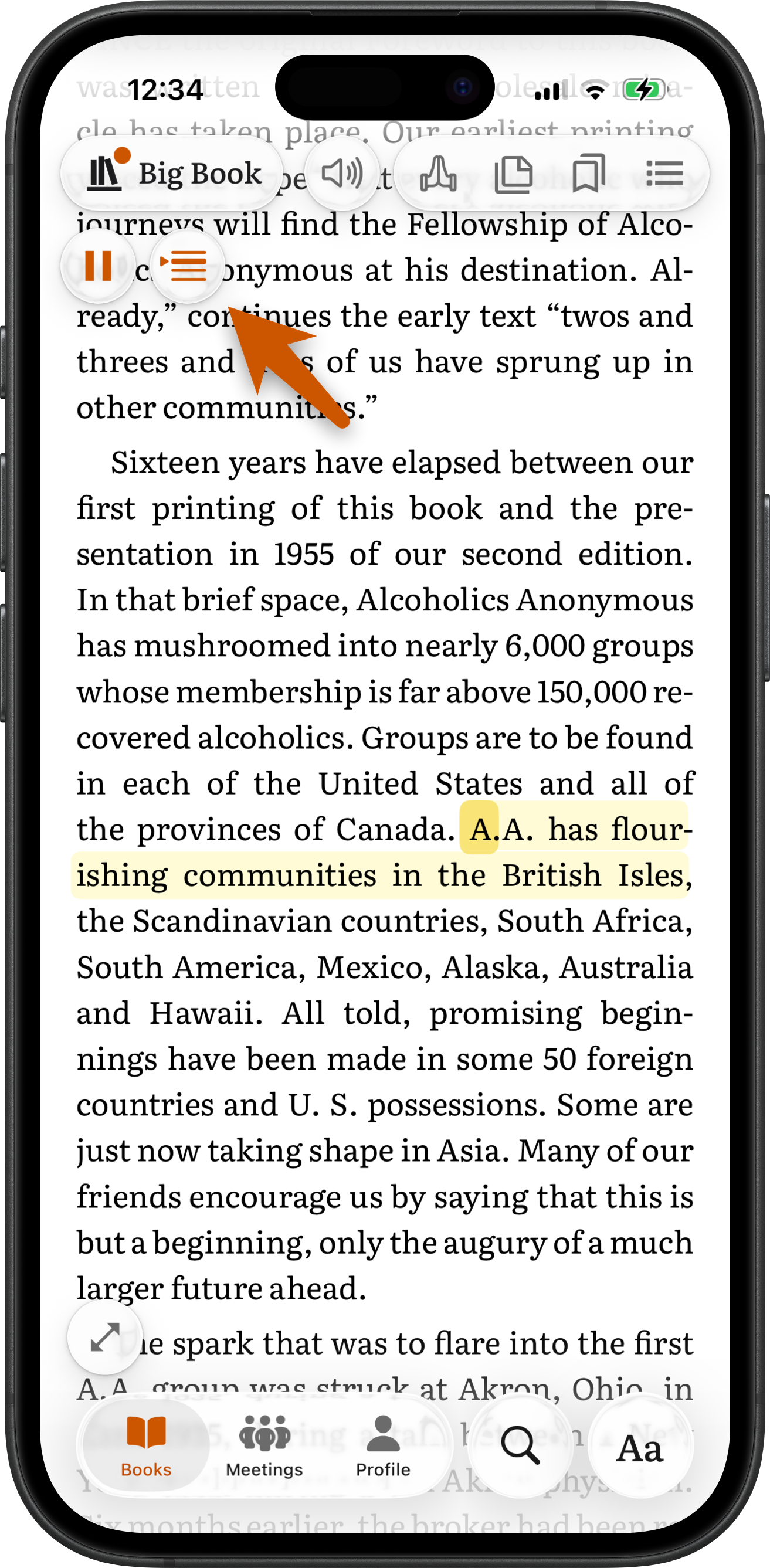
Read along: Follow audio
While a narrated book plays, the words being read are marked on the page, and the page scrolls to keep them in view. Switch Follow audio off to read ahead. The page stays where you put it, and the marker keeps showing where the voice is. Scrolling by hand, or jumping to a bookmark, a note or a search result, switches it off too. Tap Sync on the mini player to bring the page back to the voice and switch Follow audio on again.
- On by default, and remembered per book.
- Reopen a book with Follow audio on and the page lands where the narration is, playing or paused.
- Follow audio works in every narrated book in your library.
- A tap to play switches Follow audio on, so the page and the voice stay together.
Tap to play
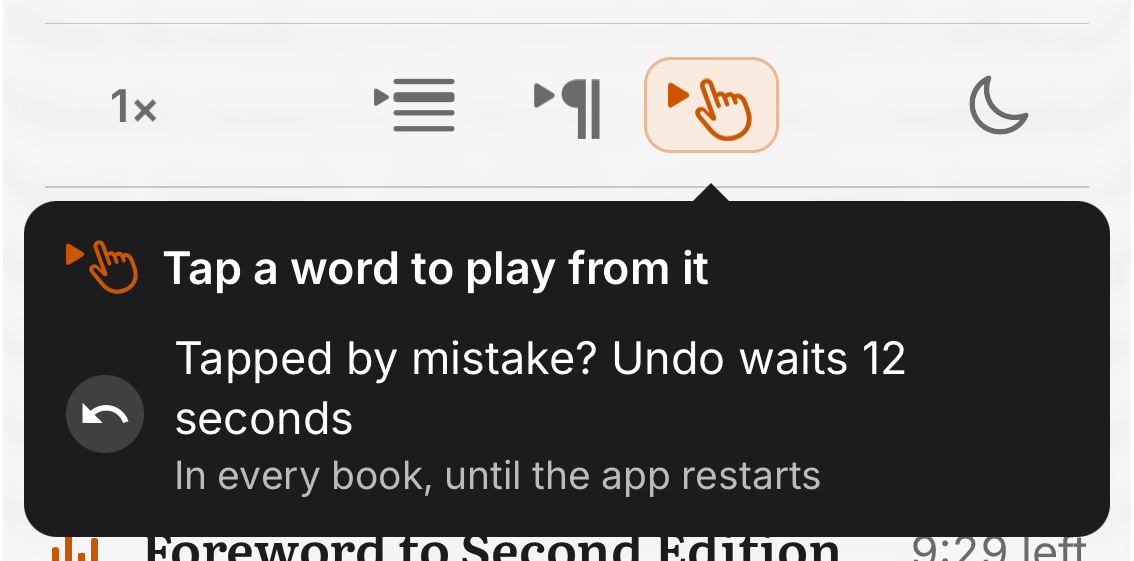
With Tap to play on, tap any word on the page and the narration plays from that word. It works in every narrated book in your library. If another book is playing, the book you tapped loads and starts from that word. The switch is off every time the app starts, so a stray tap in a meeting never starts audio. Tapped by mistake? Undo waits 12 seconds on the mini player and puts the narration back exactly where it was.
- One switch for every book, until the app restarts.
- Undo keeps play or pause as it was and brings the page back to where it was.
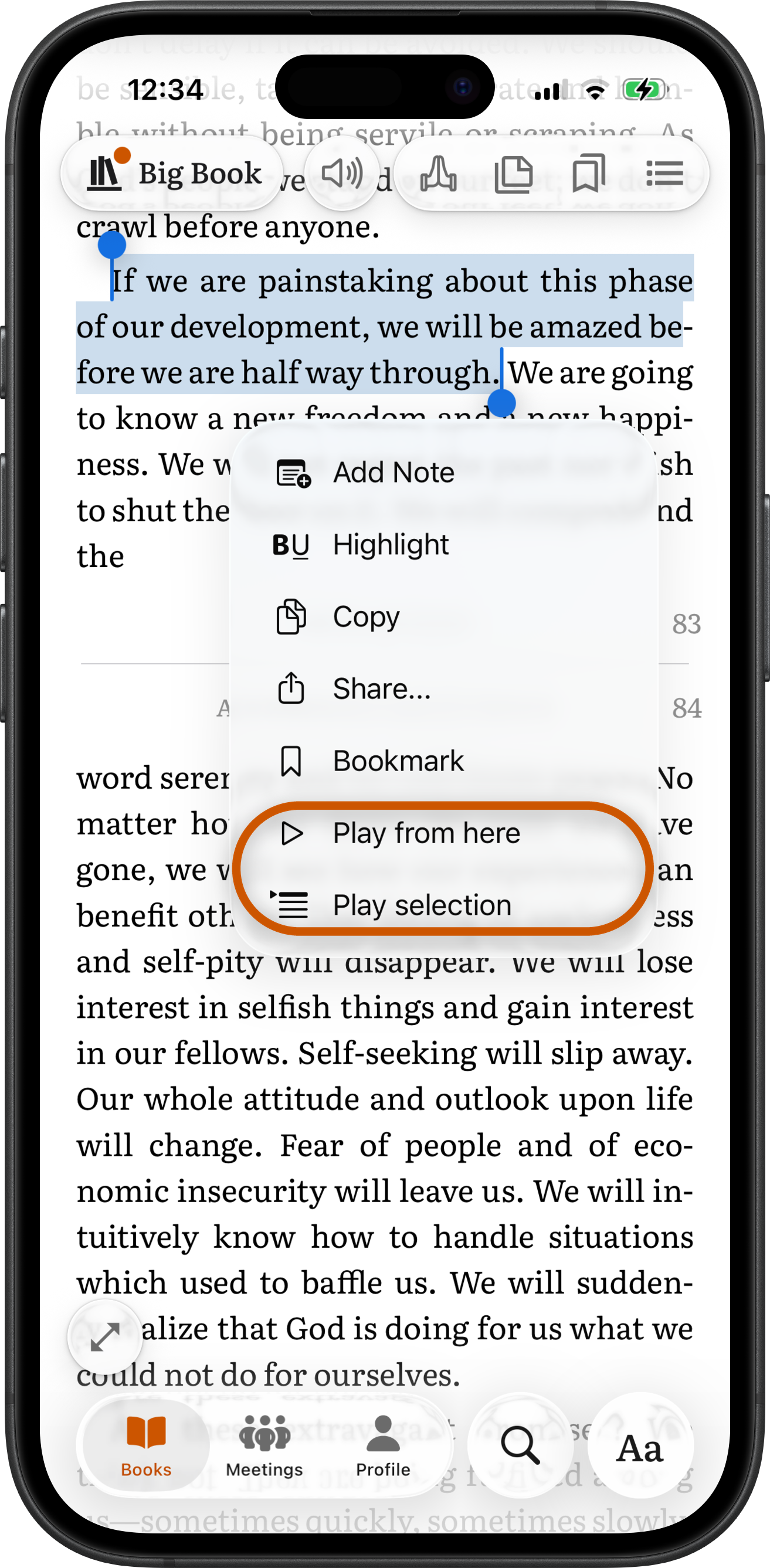
- Select words and choose Play from here to play on from the first selected word, or Play selection to play exactly the selected words and then pause.
- Play from here and Play selection work even with Tap to play off. They appear only when the selected text has narration.
Paragraph stop, made for meetings
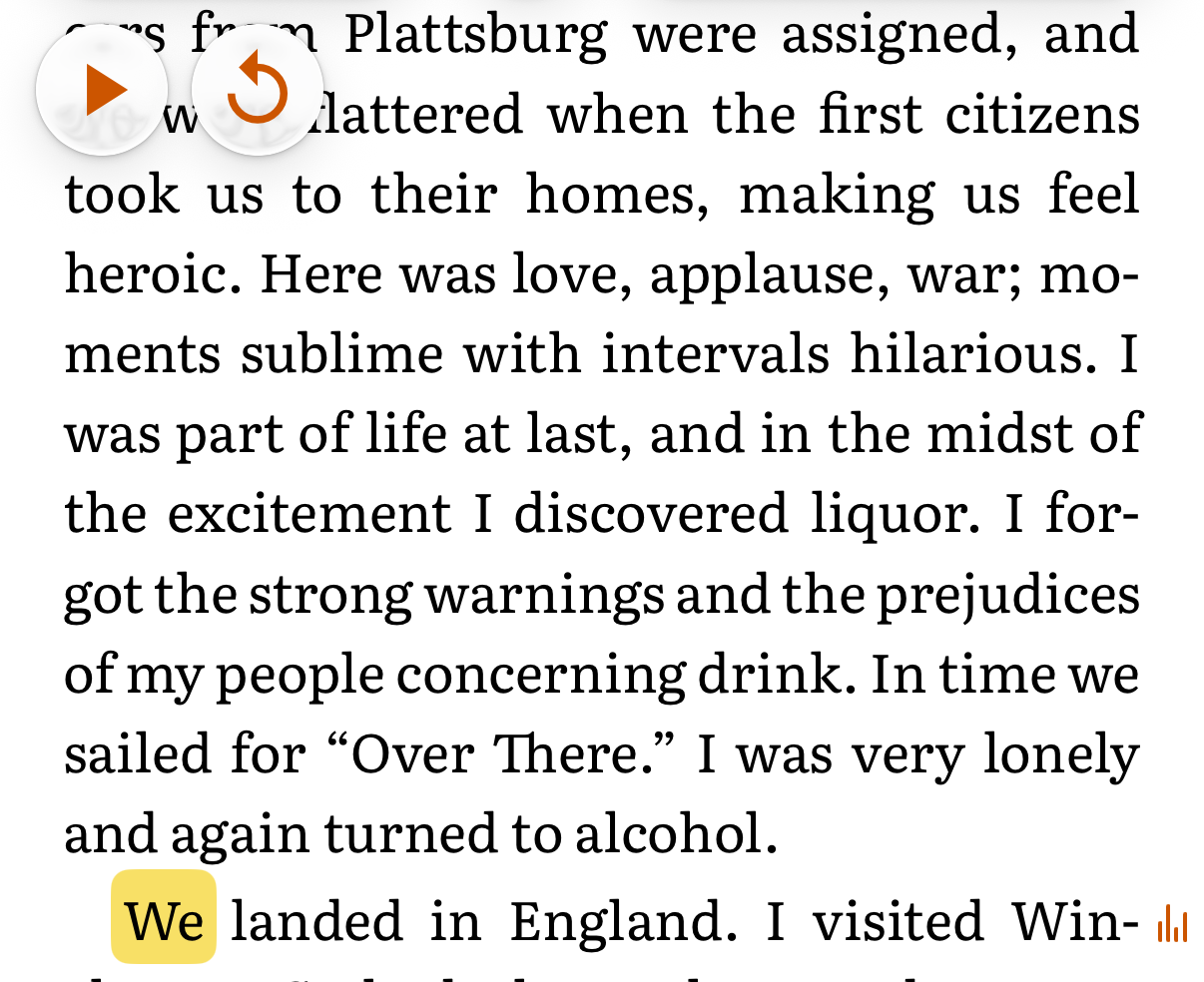
With Paragraph stop on, the narration pauses at the end of every paragraph. The group hears a paragraph, talks about it, then plays the next one. While it is on, the mini player shows Play, which reads the next paragraph, and Replay, which reads the same paragraph again. With Tap to play also on, a tap on a paragraph reads that paragraph.
- One switch for every book. It stays on across app restarts and switches off only when a car connects or you log out.
- It keeps working with the app in the background, so a meeting leader can switch to another app while a paragraph plays.
- Headings, page breaks in the middle of a sentence and short lists such as the Twelve Steps are read as one unit, not cut at every printed line.
- The narration also stops at the end of a chapter. Play goes on into the next one.
Sleep timer
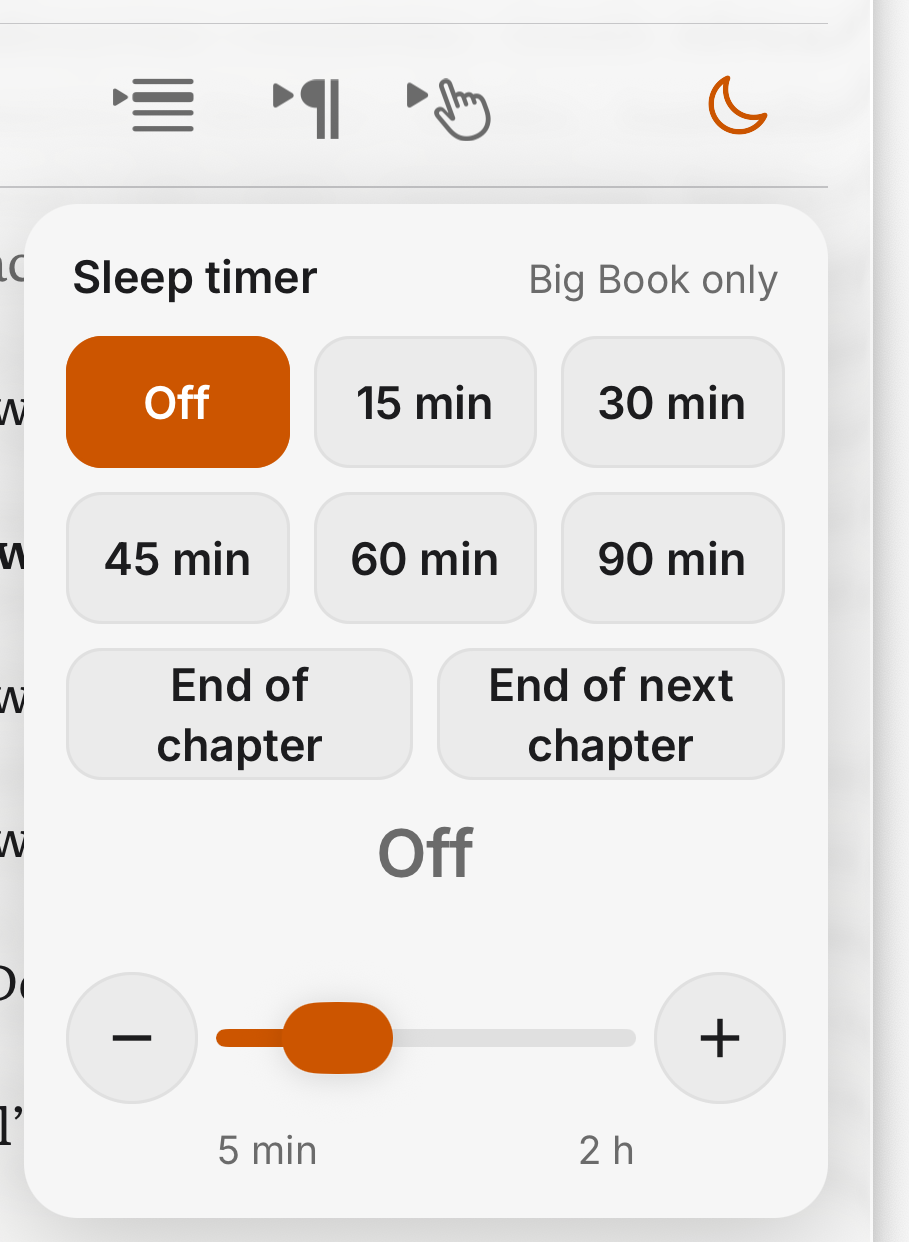
The moon in the player opens the Sleep timer. Choose 15, 30, 45, 60 or 90 minutes, End of chapter, End of next chapter, or any time from 5 minutes to 2 hours on the slider. The timer counts only listening time, so a pause freezes it. In the last minute a banner counts down, with Cancel and an extend button that adds the same minutes again, or one more chapter.
- In minutes mode the volume fades out over the last 5 seconds.
- After it stops, the screen is allowed to lock again.
- One timer at a time, for the book that set it. Starting a different book turns it off, with a notice.
- Paragraph stop and the Sleep timer can both be on; a paragraph pause freezes the minutes.
Speed
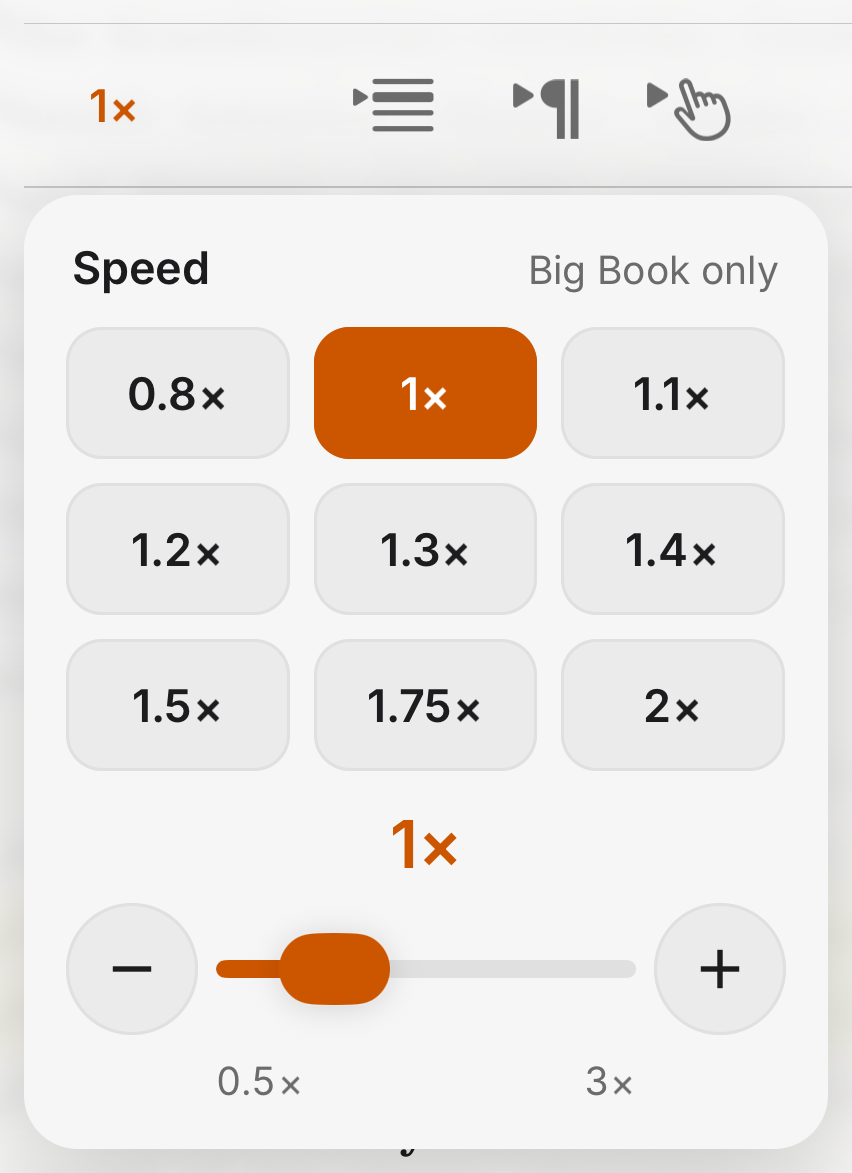
Every book has its own playback speed, 1× unless you change it, with presets from 0.8× to 2× and a slider from 0.5× to 3×. The pitch of the voice does not change.
- Speed can also be changed from CarPlay and Android Auto, and the app remembers it per book.
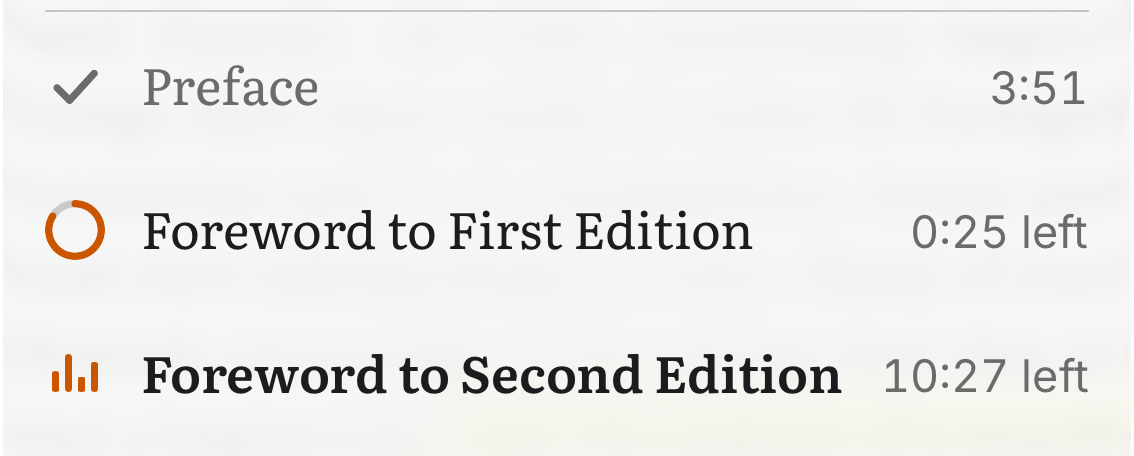
The playlist
The playlist marks every chapter as not started, part-way with the time left, finished, or playing. After the app has been in the background for more than a minute, or when a book is loaded into the player again, Play resumes at the start of the sentence instead of in the middle of a word.
- Each chapter picks up where you left off.
- The time left allows for the speed you chose.
CarPlay and Android Auto
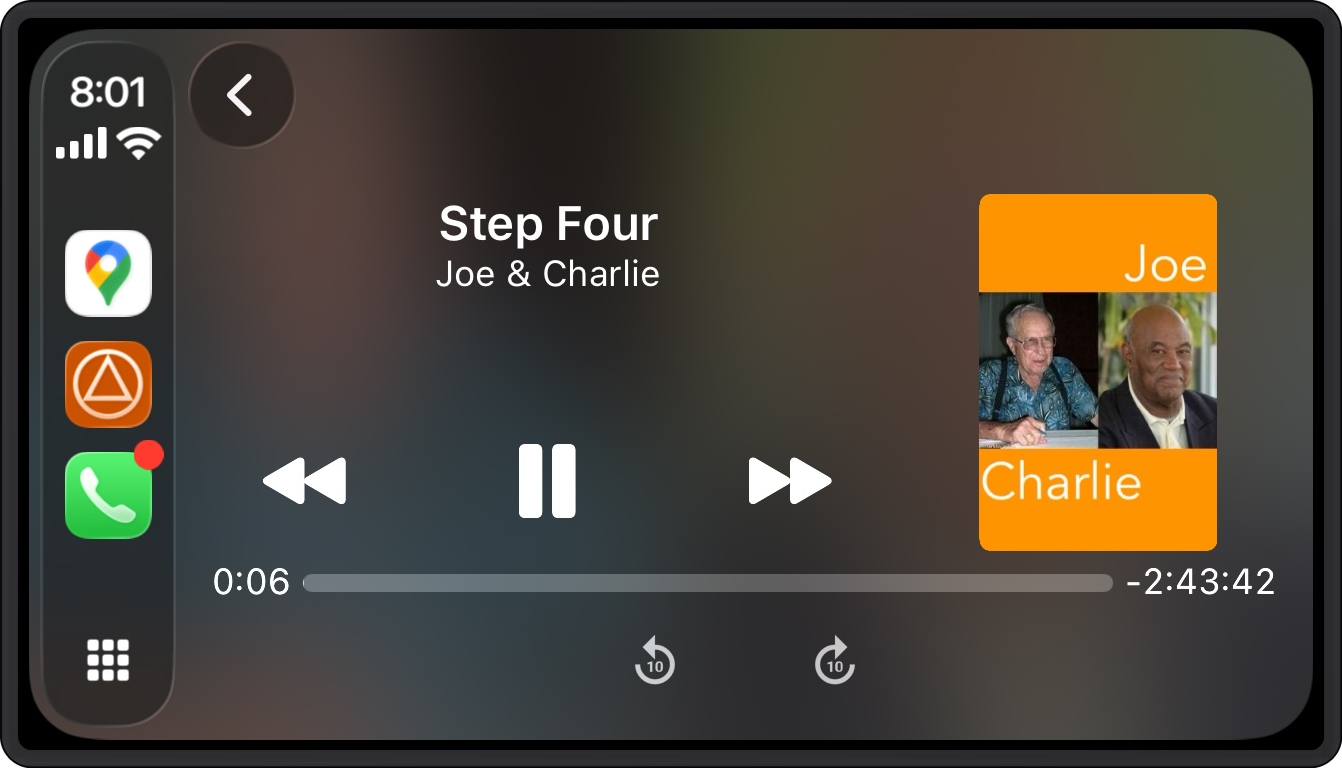
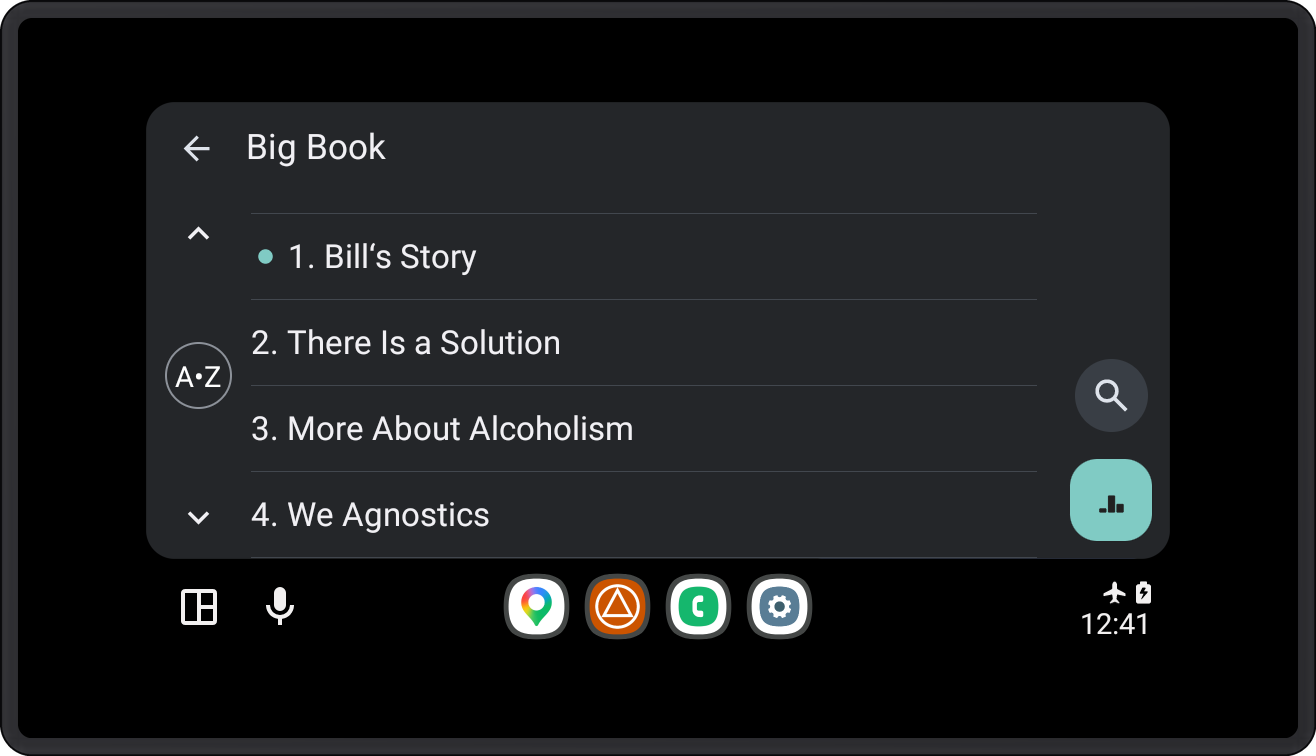
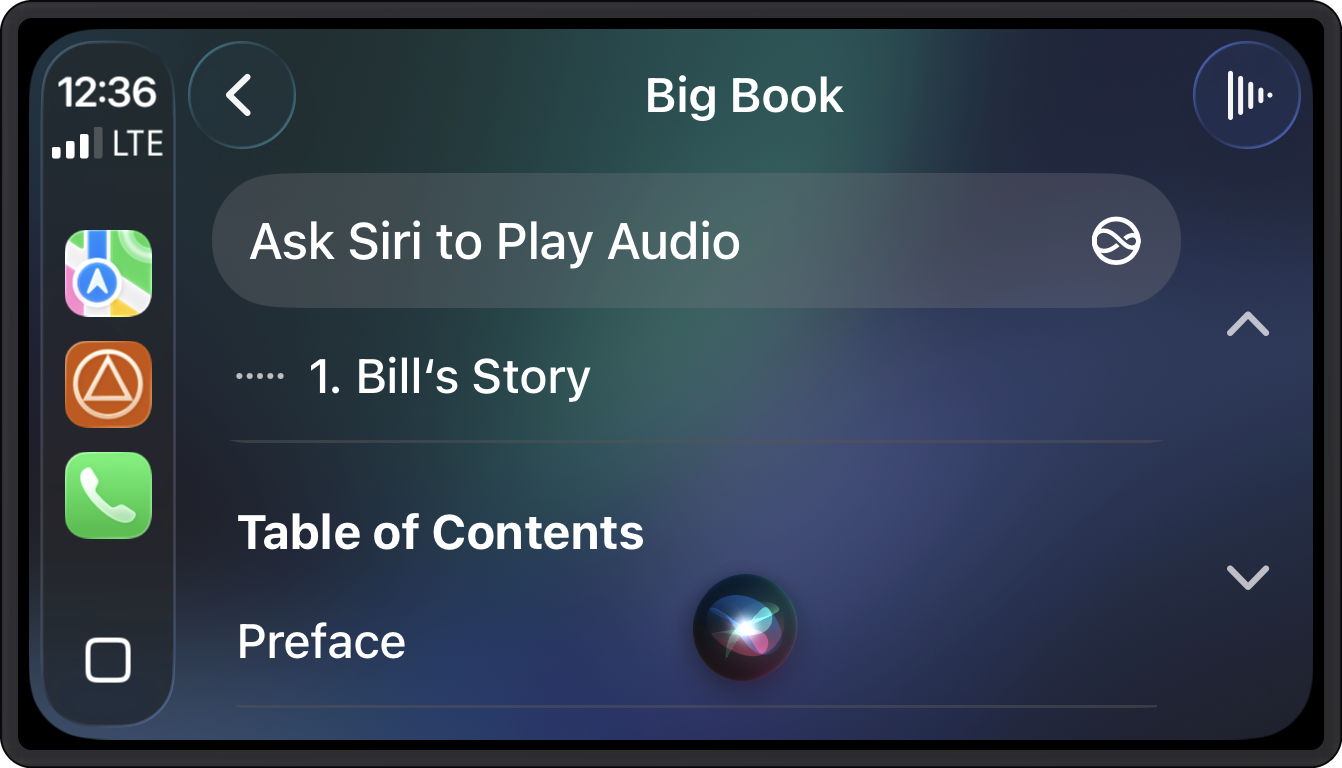
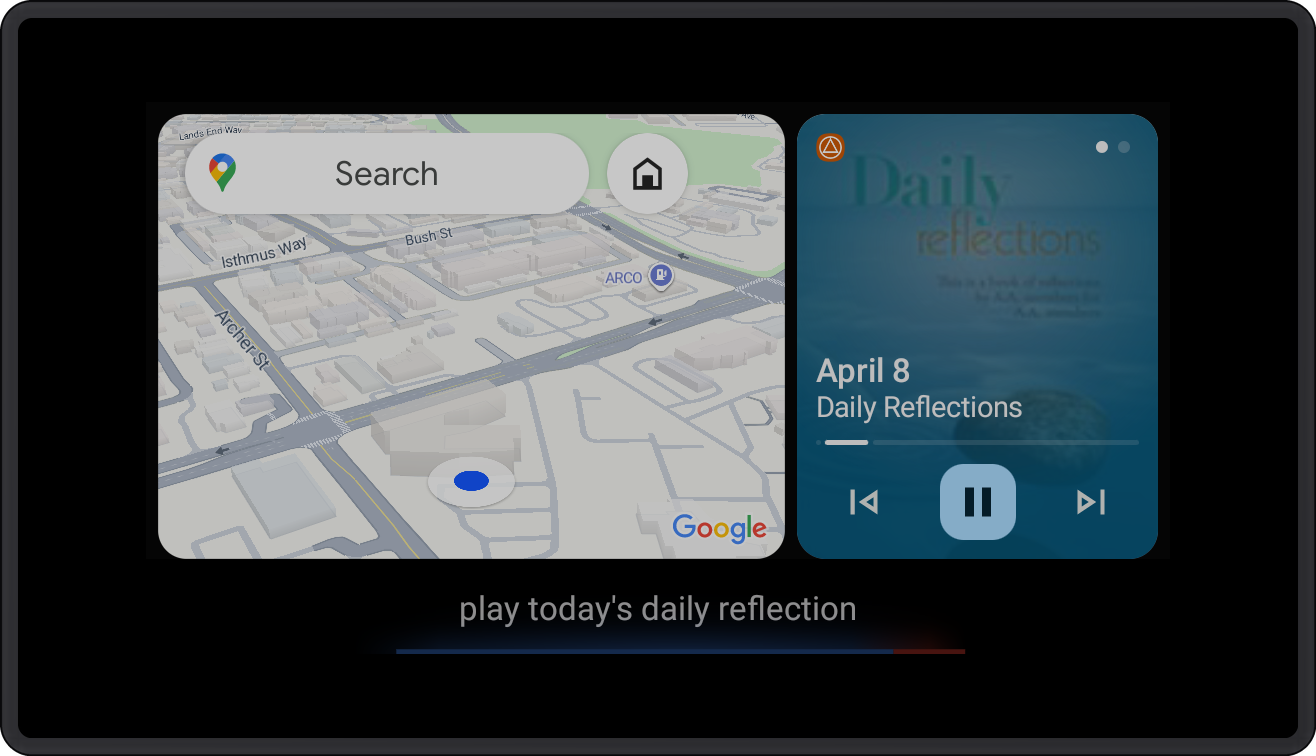
The narrated books in your library play on CarPlay and Android Auto. Pick a book and a chapter on the car's screen, or ask Siri or Google Assistant. Download the audio and listen offline. Switch between reading and listening mid-chapter and SoberHub keeps your place.
- Connecting to a car switches Paragraph stop and the Sleep timer off, so the drive plays straight through.
- The speed button on CarPlay and Android Auto changes the speed of the book that is playing.
Siri and Hey Google
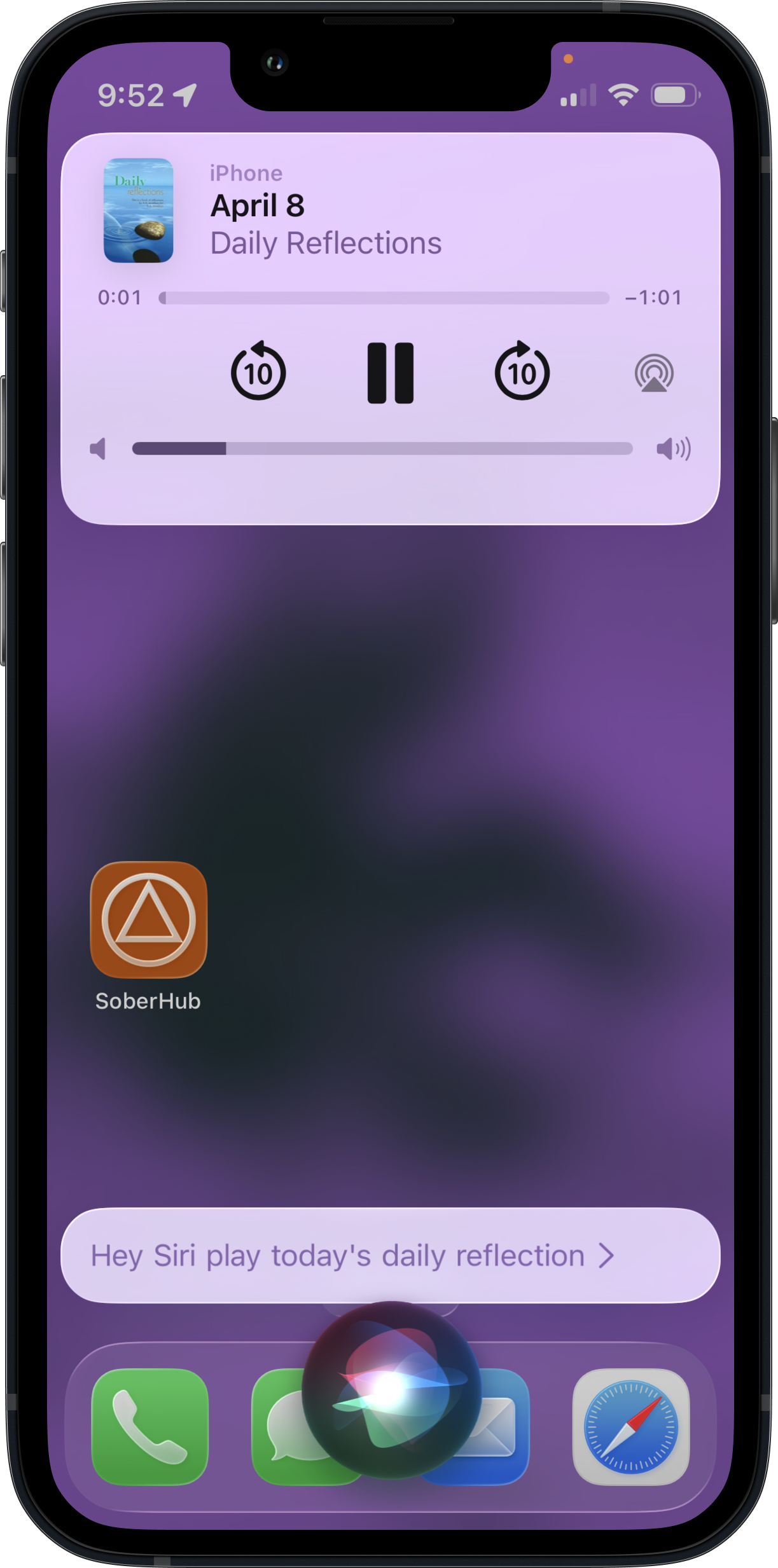
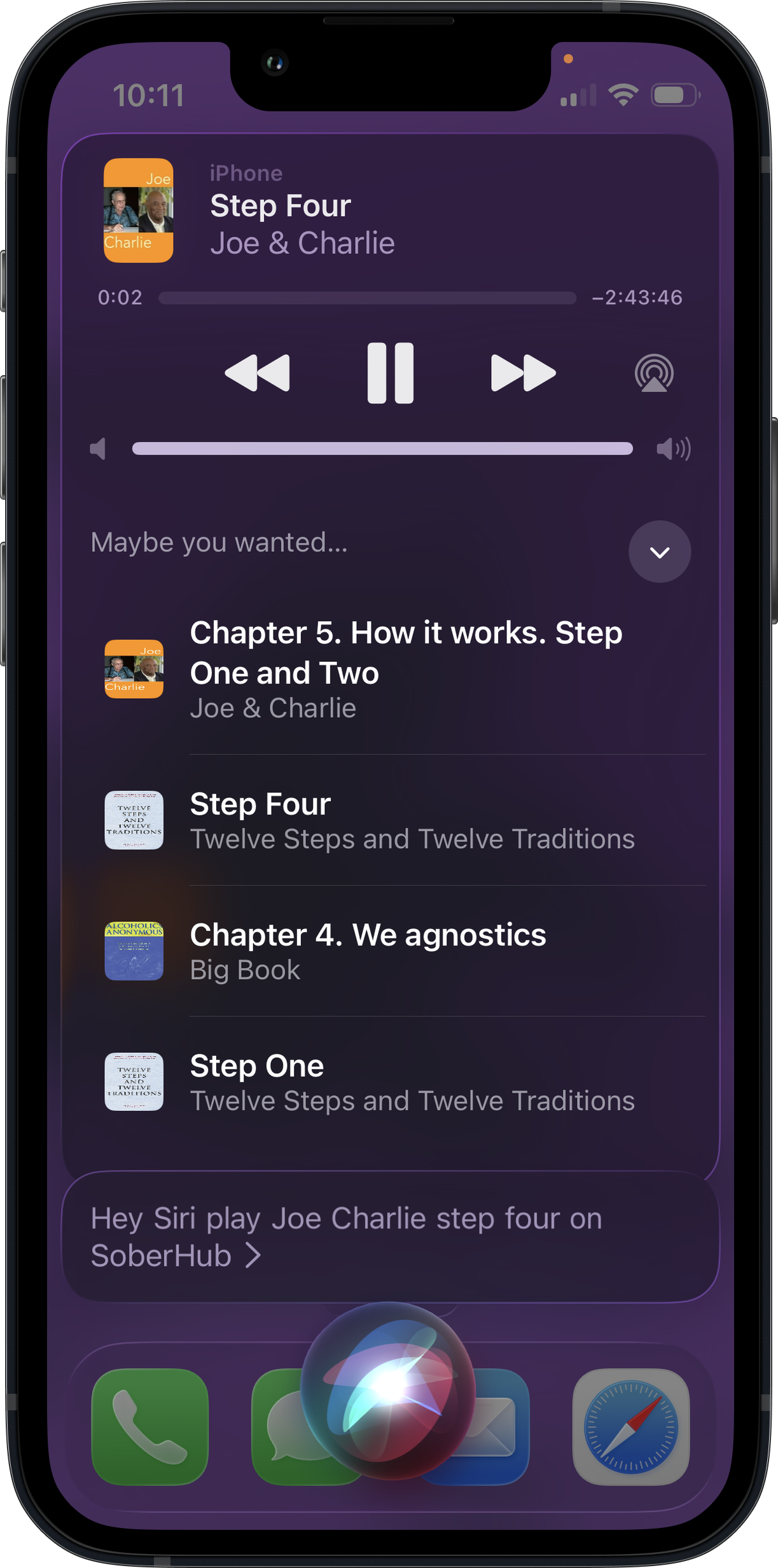
Voice works on the phone as well as in the car. On iPhone, say "Hey Siri, play Bill's Story on SoberHub"; on Android, "Hey Google, play How It Works on SoberHub". SoberHub finds the chapter and starts playing it.
- Chapters and steps by name: "Play How It Works", "Play Step Four". Add the book to narrow it down: "Play Joe and Charlie Step Four".
- Daily Reflections by day: "Play today's Daily Reflection", yesterday's or tomorrow's, or a date such as "March 15".
- On iPhone, Siri lists other matches under "Maybe you wanted…", and "Hey Siri, play SoberHub" with no title picks up what was playing, or today's reflection.
- Siri also answers "How long have I been sober in SoberHub?" without opening the app.
Languages
Narrated books are available in English, Spanish and French, and Follow audio, Tap to play and Paragraph stop work the same in each language. The app's interface is also in Portuguese and Russian. The Spanish and French sites describe the same app.
Which books
What each book in the library supports today. New books get the same player.
| Feature | Big Book | 12 & 12 | Living Sober | Daily Reflections | Joe & Charlie | Prayers |
|---|---|---|---|---|---|---|
| Follow audio | Yes | Yes | Yes | Yes | Yes | Yes |
| Tap to play | Yes | Yes | Yes | Yes | Yes | Yes |
| Paragraph stop | Yes | Yes | Yes | Yes | Yes | No |
| Sleep timer | Yes | Yes | Yes | No | Yes | No |
| Speed per book | Yes | Yes | Yes | Yes | Yes | Yes |
| Undo after a tap | Yes | Yes | Yes | No | Yes | No |
Daily Reflections and the prayers play one short track each, so they have no Sleep timer and no Undo.
The Twelve Steps and other short lists are read as one unit by Paragraph stop.
See every book →Questions
Does the page follow the audio?
Yes. With Follow audio on, the words being read are marked on the page and the page scrolls to keep them in view. Scroll away to read ahead, and tap Sync to come back to the voice.
Can I start the narration from any word?
Yes. Switch Tap to play on and tap a word; the narration plays from it. Or select words and choose Play from here.
Can I play just one paragraph in a meeting?
Yes. Switch Paragraph stop on and the narration pauses at the end of every paragraph. Play reads the next paragraph, Replay reads the same one again, and with Tap to play on, a tap on a paragraph reads that paragraph.
Does the timer stop at the end of a chapter?
Yes. The Sleep timer offers End of chapter and End of next chapter as well as 15 to 90 minutes and a slider from 5 minutes to 2 hours. In minutes mode the volume fades out over the last 5 seconds.
Is the audio in Spanish and French?
Yes. Narrated books are available in English, Spanish and French, and the player works the same in each language.
Does it work offline and in the car?
Yes. Download the audio and listen without a connection. The books play on CarPlay and Android Auto, and Siri or Google Assistant can start a chapter by voice.
Can I change the reading speed?
Yes. Each book has its own speed, from 0.5× to 3×, and the voice keeps its pitch.
Does it cost anything?
No. SoberHub is free, with no ads and no subscription. It is built by a 501(c)(3) nonprofit.
Start listening today. It's free.
Free, no ads, on iOS and Android.
iOS
Android